Dash DAM Alternatives for Growing Marketing Teams
Marketing teams grow fast, and the tools that worked at twenty people often start to crack under the pressure of fifty. Dash has earned a solid reputation as an entry-level digital asset management platform, but as campaign volumes increase, brand portfolios expand, and collaboration extends to external agencies and partners, its limitations become harder to ignore. If your team is feeling that friction, exploring Dash DAM alternatives is a smart and timely move in 2026.
This guide walks through what to look for in a DAM platform comparison, which alternatives deserve serious consideration, and how to approach a migration without disrupting your workflows.
Why Growing Marketing Teams Outgrow Dash
Dash works well as a starting point, but it was built with simplicity as its primary value. For small teams managing a modest library of assets, that simplicity is a feature. For growing marketing operations, it quickly becomes a constraint.
The most common friction points teams report include limited user permission structures, restricted integrations with the broader marketing tech stack, and search functionality that struggles to scale with larger asset libraries. When a brand manager needs to locate a specific campaign visual from eighteen months ago across thousands of files, a basic tagging system simply does not hold up. Teams also frequently cite challenges around brand portal functionality and the absence of built-in design or editing tools, meaning creative workflows still require multiple disconnected applications.
Beyond feature gaps, there is also the question of automation. Growing teams cannot afford to spend hours manually tagging uploads, chasing approvals by email, or re-exporting assets in different formats for different channels. The need for intelligent, automated workflows is what most reliably signals that a team has outgrown its current DAM software.
Key Features to Look for in a Dash DAM Alternative
Not every DAM platform for marketing teams is built the same way, so knowing what to prioritize before evaluating options saves significant time.
- AI-powered search and metadata tagging that surfaces assets quickly even in large libraries
- Role-based access controls that let administrators define exactly what different users and external partners can see and edit
- A built-in brand portal for sharing approved materials with agencies, resellers, and stakeholders without requiring platform logins
- Integrated editing tools that reduce the need to export assets into separate software
- Multi-channel distribution capabilities that support consistent publishing across platforms
- Analytics that show how and where assets are being used, enabling data-driven content decisions
- Scalable storage and user limits that grow alongside the organization
Licensing management and approval workflows are also worth scrutinizing closely. Teams managing multiple brands or working with external creative partners need clear visibility into who has rights to use which assets and under what conditions.
Top Dash DAM Alternatives for Marketing Teams
Several strong digital asset management alternatives exist in 2026, each suited to slightly different team profiles and organizational needs.
Bynder
Bynder is a well-established enterprise DAM platform with strong brand management capabilities and a wide range of integrations. It suits larger organizations with complex multi-brand structures, though its pricing and implementation requirements can be significant for mid-sized teams.
Brandfolder
Brandfolder offers a clean interface and solid AI-assisted search, making it a popular choice for marketing teams that prioritize ease of use. Its analytics features give content teams useful visibility into asset performance, though advanced workflow automation is more limited compared to some competitors.
Canto
Canto positions itself as an accessible mid-market DAM with strong visual browsing and sharing features. It works well for teams that rely heavily on photography and video assets and need straightforward collaboration tools.
ImageBank X
ImageBank X is an AI-powered DAM platform designed to support marketing and communications teams that need both intelligent asset organization and seamless brand management. Its combination of AI search, built-in Brand Studio design tools, a public-facing brand portal, and scalable user structures makes it a compelling option for teams that have outgrown simpler platforms.
How ImageBank X Addresses Dash’s Core Limitations
Where Dash leaves gaps, we have built ImageBank X specifically to fill them for marketing and communications professionals.
Our AI-powered search and automated metadata tagging mean that even a library of thousands of assets remains navigable without manual effort. The AMIE AI assistant guides users through the platform and helps streamline everyday DAM tasks. For brand consistency, the Brand Portal allows teams to share curated collections of approved materials via a simple link, with no login required for recipients. This eliminates the back-and-forth file requests that slow down agency relationships and partner communications.
The Brand Studio addresses another limitation directly: teams can design brochures, social assets, and campaign materials entirely within the platform, with administrators locking brand elements like logos, colors, and typography so that brand integrity is maintained regardless of who is doing the editing. Combined with built-in image and video editing, ImageBank X reduces the number of tools a marketing team needs to keep open simultaneously.
Curious how this works in practice? Try ImageBank X free for 30 days and explore the platform with your own assets and workflows.
Switching from Dash: What the Migration Process Looks Like
Migrating from one DAM platform to another sounds daunting, but a structured approach makes it manageable without significant disruption to ongoing campaigns.
The first step is conducting an asset audit. Before moving anything, it is worth identifying which assets are actively used, which are outdated, and which can be archived or deleted. A migration is an excellent opportunity to clean up a library rather than simply transplanting existing clutter into a new system.
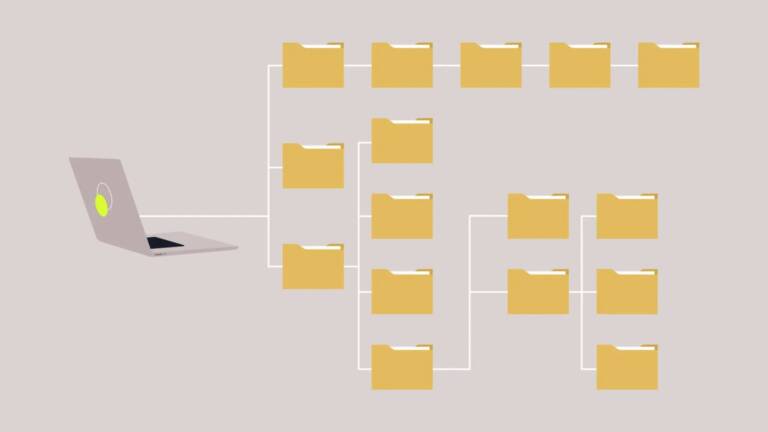
Next, map out your metadata structure and folder taxonomy in the new platform before importing assets. Getting this right early prevents the disorganization that often undermines DAM migrations. Most modern platforms, including ImageBank X, offer onboarding support and training to help teams set up their environment correctly from the start.
User access and permission structures should be configured in parallel with the asset import, so that the right people have the right access as soon as the platform goes live. Finally, plan a parallel running period where both platforms remain accessible for a short time, reducing the risk of disruption during the transition.
For growing marketing teams, the switch from Dash is less a technical challenge and more a strategic investment. The right DAM platform comparison will reveal not just which tool has more features, but which one genuinely fits how your team works and where it is headed. If you have questions about migrating or want to talk through your requirements, get in touch with our team and we will be glad to help.