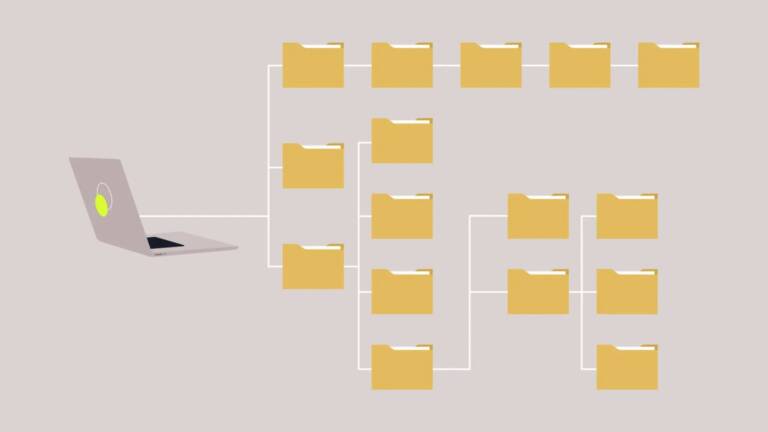
Why Shared Drives Fail Growing Marketing Teams
Marketing teams move fast. Campaigns launch across channels, assets multiply, and collaboration happens across time zones and departments. For a while, shared drives seem like a reasonable solution, familiar, low-cost, and easy to get started with. But as teams grow and content libraries expand, the cracks begin to show. What started as an organized folder structure gradually becomes a maze of duplicate files, outdated logos, and version confusion that quietly eats into productivity and brand quality.
The shift from manageable to chaotic rarely happens overnight. It builds gradually, through small workarounds and informal habits, until the team is spending more time hunting for files than actually using them. Understanding why shared drives fail marketing teams, and what to do about it, is one of the more practical conversations a growing organization can have in 2026.
The Hidden Cost of Shared Drive Chaos
Shared drives carry costs that rarely appear in any budget line. The most obvious is time: when team members spend fifteen minutes searching for the right version of a campaign image, that time compounds across every person, every project, every week. Multiply that across a marketing team of ten or twenty people, and the productivity loss becomes significant.
Beyond time, there are costs tied to errors. A designer who pulls an outdated brand asset and sends it to print, a social media manager who uses a logo that was retired six months ago, a partner agency that builds a campaign around imagery that was never approved for external use: these are not hypothetical scenarios. They are the predictable outcomes of file management systems that were never built to handle the complexity of modern content workflows. The financial and reputational damage from these mistakes often far exceeds the perceived savings of relying on a free shared drive.
Where Shared Drives Break Down at Scale
Shared drives work reasonably well for small teams with simple needs. The problems emerge when scale and complexity increase beyond what a folder hierarchy can support.
Consider what happens when a marketing team doubles in size. Suddenly there are more contributors, more naming conventions, and more interpretations of what “final” means in a file name. Without enforced structure or permissions, anyone can move, rename, or delete files. Folders get duplicated. Assets get saved in multiple locations with no clear source of truth. Search functionality in most shared drives is limited to file names, which means that finding a specific image from a campaign two years ago becomes a genuine challenge.
Team collaboration also suffers. When external partners, agencies, or regional offices need access to assets, the typical workaround is to download and email files, a process that immediately creates version drift. The original file stays in the drive, the emailed version gets edited, and the two diverge with no mechanism to reconcile them. For organizations managing multiple brands or markets, this fragmentation becomes a structural problem rather than an occasional inconvenience.
How Brand Consistency Suffers Without Centralized Asset Control
Brand consistency depends on everyone using the right assets at the right time. Shared drives make this difficult to guarantee because they offer no meaningful way to enforce it.
When there is no centralized system for managing approved assets, teams default to what is convenient. Someone saves a logo to their desktop because it is faster than navigating the folder structure each time. An agency uses assets from a previous campaign brief because it cannot locate the updated ones. A regional team adapts a template without realizing it was superseded by a new brand refresh. Each of these decisions seems minor in isolation, but collectively they erode the visual coherence that brands spend considerable effort building.
The absence of version control is particularly damaging. Shared drives typically show when a file was last modified, but they do not make it easy to understand which version is current, who approved it, or what changed between iterations. This ambiguity forces team members to make judgment calls about asset validity, and those calls are not always correct. The result is brand materials that vary in tone, typography, color, and quality across different channels and audiences.
What a DAM System Solves That Shared Drives Never Could
A digital asset management system is purpose-built for the challenges that shared drives cannot address. The differences are not cosmetic: they reflect a fundamentally different approach to how organizations store, find, and distribute content.
Where shared drives rely on folder structures and file names, a DAM system uses metadata, tags, and AI-powered search to make assets discoverable in seconds. A team member looking for approved product images from a specific campaign can filter by asset type, date, campaign name, or usage rights, without needing to remember where the file was saved or what it was called. This alone changes the day-to-day experience of content workflows in a meaningful way.
A DAM system also introduces controls that shared drives simply lack:
- Permission management that determines who can view, download, edit, or share specific assets
- Version control that preserves the history of a file and makes the current approved version clearly identifiable
- Expiry and rights management that prevents teams from using assets beyond their licensed period
- Centralized brand guidelines that ensure everyone, internal teams, agencies, and partners, works from the same approved materials
- Audit trails that show who accessed or used an asset and when
These are not luxury features. For any marketing team managing multiple campaigns, channels, and collaborators simultaneously, they are the infrastructure that makes consistent, efficient work possible.
Signs Your Marketing Team Has Outgrown Shared Drives
The transition point is often clearer in retrospect than in the moment, but there are reliable indicators that a team has moved beyond what shared drives can support.
Watch for patterns like these:
- Team members regularly ask colleagues where to find specific files rather than locating them independently
- Multiple versions of the same asset exist across different locations with no clear indication of which is current
- Onboarding new team members takes longer than it should because the file system is not intuitive to navigate
- Sharing assets with external partners requires downloading and emailing files rather than granting controlled access
- Brand errors, wrong logos, outdated imagery, incorrect color usage, appear in published materials
- Campaign launches are delayed because teams cannot locate approved assets in time
If several of these patterns feel familiar, the shared drive has likely become a constraint rather than a tool. The good news is that the solution is well-established. Platforms like ImageBank X offer a dedicated digital asset management environment that replaces folder chaos with structured, searchable, permission-controlled access to every asset the team needs. With features like AI-powered search, built-in brand guidelines, and role-based access controls, a DAM system gives marketing teams the infrastructure to scale without sacrificing speed or consistency.
Ready to see the difference for yourself? Try ImageBank X free for 30 days and explore how it works with your own assets. If you would like to talk through your team’s needs first, get in touch with the ImageBank X team.
The question is not whether shared drives will eventually fail a growing marketing team, it is how much time and brand equity will be lost before the switch is made.